Wednesday, January 2, 2013

Detour for Tetris Attack

Hello everyone. I know I promised a technical entry on AVL trees and I promise I will get to it! However, I've enjoyed some downtime the past couple weeks, and also moved onto a small side project while John tries to get the map system running as most of the stuff I need to do relies heavily on that update. So, I'll be taking a slight detour to talk about a game named Tetris Attack.

Those who know me will definitely vouch for me on this, I am extremely fond of Tetris Attack. It throws people off all the time, but this is not Tetris as most know it. For those who don't know what Tetris Attack is, I highly recommend checking it out. It's a game that came out with the Super Nintendo, which I know is old, but it's still probably my favorite game today. Here is a video showing some aspects of the game on YouTube by MarkoManX.

The beauty of this game is that it's undeniably simple when you start out. You get matches of 3 in vertical or horizontal lines to clear the blocks. In this game, diagonals do not matter. If you get more than 3, that is a combo. If you get a match, and those blocks fall and make another match, this is called a chain. Chains naturally give more rewards, particularly for longer chains. As each chain can make another match, and another, and another ... up until the skill of the player interferes or there is no possibility within the constraints of the current block set up.

So, for a long time I've wanted to build my own little clone of the game. Nothing big, but something that shows I can sit down and figure out the mechanics in a discrete way. So today, as it relates to computer science, I'm going to talk about how I figured out how to make the matching algorithm work in my prototype. Trees are not far off, as Trees can be made from the subset of a graph and is in fact a common thing to do. Particularly for minimum spanning trees which would solve the traveling businessman problem. For those that don't know the problem, it's essentially about a businessman that wants to travel to a set of cities S using the minimum possible cost or distance using the available routes between them. I do not use graphs explicitly, but thinking of the grid as a graph can help.

First, allow me to explain some of the components via visuals.


I grabbed the block images from a game called tetattds, which is another remake of the game for the Nintendo DS. I downloaded the source and looked around to give me a general idea of how they thought. Now, I promise, whatever I came up with in my code is on my own merit, as I'm pretty certain whatever is in the source for tetattds is better than mine because I really am not sure what they did in this regard. I'm just here to explain the basic, high level approach one can take, and am not advocating it as the best or only way.

Anyway, take a second and given when you know already (3 or more blacks makes a match, anything more than 4 makes a combo, etc), what match do you think the above image will make for the yellow blocks?
..
..

This will make a 7 (seven) combo. Meaning, 7 blocks are matched. Some of you might be thinking, "But wait! There are eight yellow blocks touching!" and you would be correct. The issue is that the top left most yellow block is not in any adjacent combination of 3 or more in a row either vertically or horizontally.

So how do we account for such challenges?

The first thing to realize is that the field of play is a n x 6 grid. Such as:

[1,1][1,2]...[1,6]
[2,1][2,2]...[2,6]
...
[n,1][n,2]...[n,6]

That is, it can have infinitely many rows, but only 6 columns. There can be empty blocks as well as the normal types. We don't always want to check for a match because then it would be a waste of resources, so what we first need to think about are the conditions in which a pop might be invoked. These are a cursor swap, a falling block, or a row of blocks being raised from underneath. In each of these cases, a "NeedPop" flag is set on the individual block, and during the game loop it sweeps the field and looks for that state. If it finds it, it commences the algorithm to look for matches. This idea was brought forth by John, because originally I just called the algorithm when any of the above mentioned events occur, but this gives a degree of freedom while making some things simpler, and other things more complicated which I may get to in a future post.

Now for the interesting bit. The grid, in its form to the game, can be thought of a graph. Each block can have four connections (also called edges) to the block above, below, to the left of, and to the right of a block. The basic premise of the algorithm to detect a match is a breadth first search algorithm. For those that don't know, this is basically a mechanism for visiting the vertices in a graph (or tree) by visiting each vertex and its children before moving onto the childrens children. This is in contrast to a depth first search which will search the remaining depth of the first searched child of a node (recall what I mentioned about trees in my last post) to its height, before moving back up the tree to check other children of a node. In fact, a tree structure is represented from both the breadth first search and depth first search traversal algorithms.

So lets do a quick run through. We'll start with the top left block, which I already mentioned did not make it in the final match, and I'll explain why in terms of the algorithm. I'll mark a node as visited by showing a transparent green box over the block.

First thing is first, we need a Queue to keep track of what blocks we're processing. So first in the Queue is the top left block. We'll mark this block as visited. Since we're concerned with the vertically and horizontally adjacent blocks, we search those and add them to the Queue if they match with the block that started with the search. So what we end up with is the below, with green marking a match and red marking a non match.


So note that we do get a same tile to the right, but it stops with the start and since the number is < 3, we don't add the matched tile to the queue, and because there's nothing below (And empty/invalid tiles to the left and above), we stop processing and move on to the next one adjacent to it (To form the sweep, but the algorithm will work from any position, and i'll demonstrate that after).

I'll take the next one step by step.

First, we take the block at row 1 (from the top), and column 1.


Then we start processing that Queue. We'll start with verticals as that's what I started with in my code. So we look down, and find that we have a matching tile, and we check below that, and we have a third matching tile so we add to the set that maintains all matching tiles, and at this point we only have the three. The algorithm will check the tile below that as well, and find that we have no matching tile (Excuse the cursor image in there, I kept it in to show that's what the cursor looked like, but there's a blue and green block with the cursor). After checking all verticals, we get the below.


In this process, we added the two below the first one to a Queue, in order. That means that we're now checking the second block. In this case, we're moving down the grid. My algorithm knows that we're going that way, so we only need to check horizontals. This means that we'll first check the left, realize there's nothing, and check to the right, add the matching block to the Queue (this is important), and find nothing so we did not find a match here, and nothing is added to the match set. We remove the newly processed block from the Queue and move on the the next one (row 3 from the top, and column one). In this case, we found no match, and end up with the below.


So currently in our Queue we have the positions {3, 1}, and {2, 3}, as we found a matching tile last time so we want to check to see if it leads to anything. We'll get to it though, and this is what makes it resemble a breadth first search. So we're currently processing {3, 1}, and we check only the horizontal blocks, left first than right. We find one on each side giving a match of 3, so we add the two new blocks to the match set while ignoring the one that is already part of the match set. We end up with the below image, and we add the left block then the right block to the Queue, leaving us with {2, 3}, {3, 0}, and {3, 3}.


Now we process the {2, 3} yellow block. Note that this time, we also make a redundant check here on the {2, 3} and {3, 3} block. We still need to consider them as part of a match, but the difference is we don't count them twice if they are part of the match set, and we don't add it at the end of the queue for processing because it's already been visited. This is how we can prove that the algorithm is correct in one sense. That is, we can prove that it does not miss any possible blocks that may match, and it does not count any block as part of a match more than once. Also of note that {2, 3} was found via a horizontal search from {2, 2}. This means that we only need to check vertically, because the horizontal blocks here have already been checked, so we don't even need to check if they've been visited. This time, {2, 3} is part of a match along with the already present {3, 3} and now {3, 4}. These blocks have been visited and checked as shown by the image below, and we do add {4, 3} to the queue. So after this round, we have {3, 0}, {3, 3}, and {4, 3}.


At this point, we know intuitively that we've found everything and the match set contains 7 blocks, but the algorithm still has three nodes to process: {3, 0}, {3, 3}, and {4, 3}. For {3, 0}, we again only check verticals, because it was found via a horizontal search. We make another redundant check above, and one below while processing {3, 0} and we find no matches. We make the redundant check because at this point we know that we can still find something, as shown before, but in this case we sadly did not. We could improve this with a dynamic programming approach to remove these redundancies, but it would require more memory to store the matches for each checked block, and the set is never that large. So the extra check hardly makes a difference for such a small set to a computer.

I think you should get the idea by now. Ultimately we end up with the below image because {3, 0} checks the block below it, and {4, 3} checks the block to the right of it due to them being found by a horizontal and vertical search respectively.


And, that is why we get the match of 7!

We could also start the algorithm from, say, {3, 2}, instead of {1, 1}. What do you think we'd get for the first path and the results of the Queue, if we check verticals (Top, then bottom) than horizontals (Left, then right)? See the image below:


Queue: {2, 2}, {1, 2}, {3, 1}, {3, 3}

If you're feeling adventurous, try to complete the rest on your own and let me know! That is basically how the matching algorithm works. It could technically start there. It wouldn't be likely with this particular block setup but if a swap was done there it would set the state in those blocks and then start where the left block of the cursor is..

Note that this match could happen either by, as mentioned above, a cursor swap or a falling block. For example, if we pull the green block at {3,5}, let it fall to the bottom of column 4, the two red blocks would fall to make a match with the red. This is not a chain, however, as a match has to happen and then another match must occur.

I'm sure there are better ways, but the objective was to think of one on my own from a high level perspective, and though it may not be the most efficient way, I'm glad to say that it works in even the odd cases like the one demonstrated above! It's easy to find matches of 3, but when you have this weird block of 7, it was a challenge. Taking the concept of breadth first search from graph theory has helped me this time. As was my point with the discussion of binary trees, a graph is a data structure that has numerous applications. This search algorithm is just one way to traverse a "graph" like structure. You can create trees out of graphs by using traversal algorithms. These connections are key, particularly in game programming!

Computer Science, and by extension Game Development, is simple to understand, but difficult to master much like Tetris Attack. I hope this article was enjoyable! I certainly enjoyed writing it. Until next time!

Wednesday, December 26, 2012

MerryChristmas++;

Day Late but whatever, Merry Chrismas to everyone who Celebrates! And Happy Holidays to anyone who doesn't! :)

Anyway, Me and Jared haven't posted in a while, Work, Holidays, and More Work have taken its toll on us, and we've been enjoying some down time. We spent some time talking about where the game is going in the next few months. I, personally, will take what time I can to get that map system revamped.

I like this game a lot, and I've put some thought into the concept Once I get the Map system Revamped, I don't know where else we're going.

Sorry to Leave you guys with Just Text but I have nothing Handy to Upload for you. :(

If you want the LowDown on what Me, personally, have been working on, Its after the break!


Sunday, November 25, 2012

Binary Trees!

Hello everyone. I know neither John or myself haven't posted in some time and I do apologize, but I am currently taking two advanced courses on top of work (bad decision), and it is catching up with my free time. I can't believe I'm already nearing the end of the 4th week of the class, though. That's ridiculous. It feels like it has been one week at most. Still, in the short amount of time I have learned a lot. Since I don't have any new game programming developments, this is going to be a fairly technical post in computer science for those up to the challenge. If not, and you're only here to see game updates, this entry likely won't interest you. So if you're interested, press on and click the jump, if not, I understand!

Sunday, November 4, 2012

Steampunk Island!

On a random note to begin with, Me and Jared hit the new Microsoft Store. Jared isnt as excited as I am about Windows 8. Just the fact that Windows 8 and Windows 7 began development at the same time, so they've had plenty of time to work out most of the bugs.(On top of having a Developers and Consumer preview) I don't think it will be Bad, Its just not entirely worth it if you don't have a touch screen(Which Id get so that's not a problem on my end)

In Short- I want it.

Also I want Spotify Back...

ANYWAY on to...


Jack Hunter: Final Voyage of the Natalia 

Excited to be back? Yeah Me too.

I've spent a lot of today working on some ideas for the look and feel of the game... I also Rough Drafted a basic story line leading up to the events of the game. 

Long story short your a Student of the guy who built a Island/Airship called the Natalia cause he was paranoid water world was gonna happen, you find out he was killed by pirates and that the Pirate leader set the Natalia on a crash course with England. you happen to have read through the schematics of the Natalia in your time working with the professor and know how to stop it before it crashes. Game On.

The big update here was going back and looking at the story and matching the environments. Ill be spending some time going back to the art side of things and making Walls and Such match the theme of the Game a little better. 


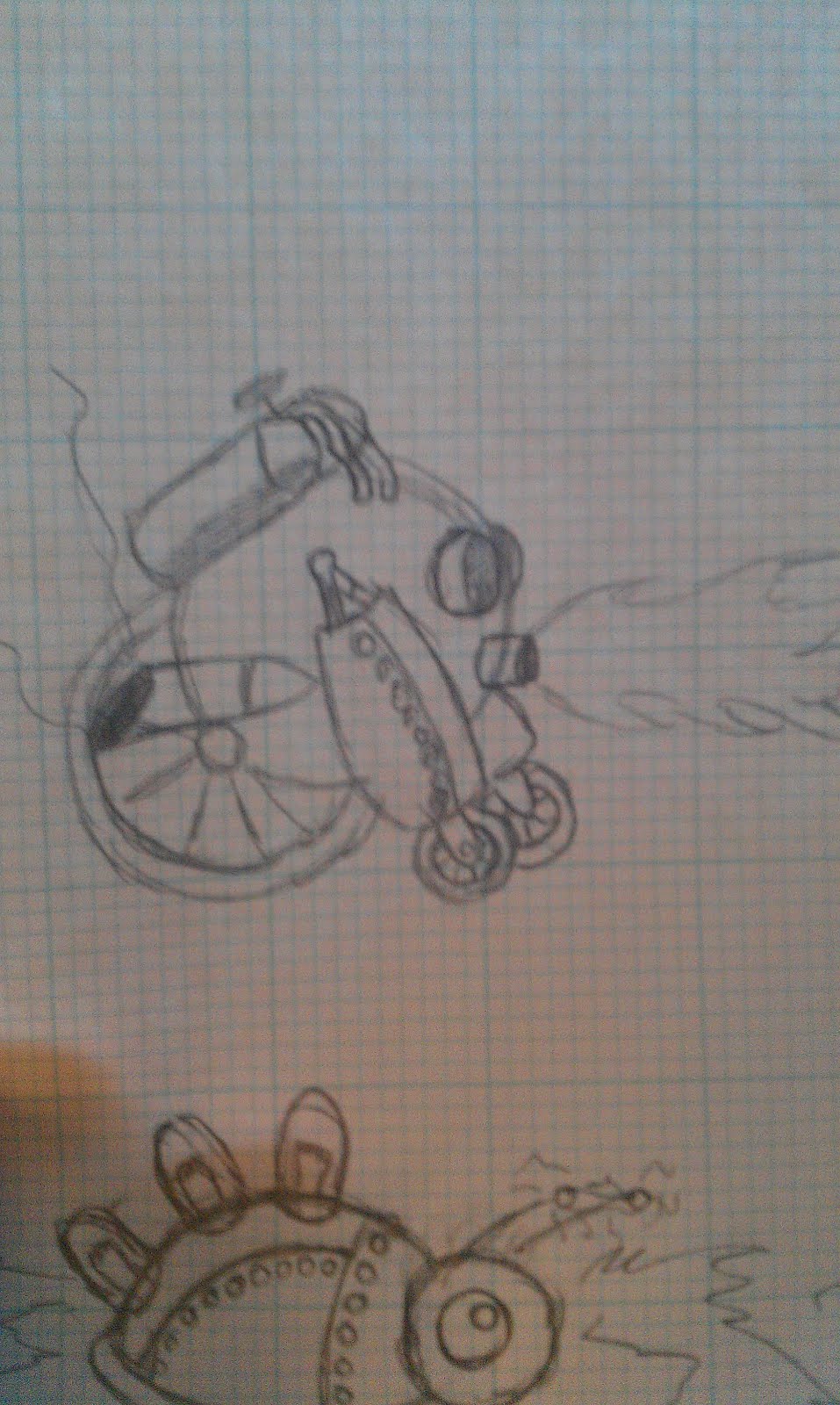
Here are a couple of the Reworked characters, Notice the Lightning bug, Which was a little ball of Jelly is now called the "Tesla's Electromagnetic Discharge Insect Drone" and on the Right we have the "Wheeled Anti-Personnel Heated Dispersal Unit" 

I was re working the enemies because originally I had too many organic enemy's, Not to say there aren't any, but the Professor was living on this Ship alone and its HUGE. Makes sense he Built robots to do menial takes like weld pipes and Oil things. and the Security Drones were to keep the Livestock living there out of the machinery 

I'm also looking into the steam pipe puzzle I'm still seeing what I can do with it but it should be awesome.

The last thing I got done today was I worked on the MapTool which is done for now, I just need to get the tool to Do Switches and Ill LITERALLY have all the pieces to loading part of the game done.


But for today im Passing out, tomorrow I Should have time to get stuff done. 

Till Then!
-John

Friday, October 26, 2012

The Bits, Nibbles, and Bytes of Life

Many new developers struggle with the idea of bits and bytes at a low level, and why they are useful to us as software developers since we have high level languages that abstract it away from us. Most of us are aware that a computers language is in 1s and 0s. Glorious 1s and 0s reign supreme in the digital world. Analog signals such as the human voice are analyzed and converted into a static on or off signal. Sequences of bits come together for a common purpose: to represent and execute information at the programmers whim. Sometimes, being in charge of development can give someone a God complex. We have all the control. Even though there are occasions where the computer (doing exactly what we told it to do, no less) is seemingly rebelling against our authority, we can eventually tame the beast into submission.

Still, the emphasis on the underlying beauty of the digital machine isn't as prominent as I feel that it should be. Consider this simple program in C++:
int a = 0, b = 0, c = 0;
a = 5;
b = 5;
c = a + b;
It's so simple. Even the people who have never seen a line of code could reasonably guess at what's happening here. We are declaring three variables, a, b, and c, and we are assigning the constant value of 5 to both a and b, and finally, storing the result of a + b into c. How could a computer not understand something so simple? The truth of the matter is that this 4 line program gets converted into, with collective optimism, a 17 line program in the computer language not including a lot of the setup and finalizing "stuff". Here's an extracted segment of just the 4 lines we see above in assembly:
; 4    : int a = 0, b = 0, c = 0;
mov DWORD PTR _a$[ebp], 0
mov DWORD PTR _b$[ebp], 0
mov DWORD PTR _c$[ebp], 0
; 5    :
; 6    : a = 5;
mov DWORD PTR _a$[ebp], 5
; 7    : b = 5;
mov DWORD PTR _b$[ebp], 5
; 8    :
; 9    : c = a + b;
mov eax, DWORD PTR _a$[ebp]
add eax, DWORD PTR _b$[ebp]
mov DWORD PTR _c$[ebp], eax

The first three lines store the constant 0 in the storage locations of a, b, and c. Remember, that these names are meaningless to a computer. Each variable has a memory address. This code is still an abstraction which is translated to the computers CPU language. The commands like mov and add will be translated to a binary op code such as "0110", which in turn is translated to an electrical signal.

Before I get too excited, there is a point to my madness. How does this make us better developers? How does knowing what code is translated to at the raw, naughty level of inside the machine useful?

The simple answer is this: Everything we learn can be applied in places we would least expect.

There's another reason, though. I'm going to use C# and the .NET CLR (Common Language Runtime) as an example. The + sign can be used to add numbers, but it can also be used to add Strings. In addition, there's an explicit function called String.Concat. What happens at the lower level? How are these different? Are they different? Consider this C# Snippet:
String str = Console.ReadLine();
String str2 = Console.ReadLine();
String test = str + str2;
String test2 = String.Concat("hi", "test2");
I read two strings from the user and store them in str and str2. I then explicitly call String.Concat with two compile time constant Strings. (Compile time meaning these are known at the time the code is compiled, as opposed to str and str2 which are known at run time because the user has to enter them). So what happens? What do you think? They're the same! Here's the code compiled into the intermediate language of the above snippet:
.locals init ([0] string str,//Declare the local variables by index
[1] string str2,
[2] string test,
[3] string test2)
IL_0000: nop //No meaningful operation is performed
IL_0001: call string [mscorlib]System.Console::ReadLine()
IL_0006: stloc.0 //This pops the item off the input buffer and into the variable str
IL_0007: call string [mscorlib]System.Console::ReadLine()
IL_000c: stloc.1 //This pops the item off the input buffer and into the variable str2
IL_000d: ldloc.0 //The next two lines push the local variables back onto the evaluation stack to be passed as parameters to concat
IL_000e: ldloc.1
IL_000f: call string [mscorlib]System.String::Concat(string,string)
IL_0014: stloc.2
IL_0015: ldstr "hi" //Load a string onto the stack directly
IL_001a: ldstr "test2"
IL_001f: call string [mscorlib]System.String::Concat(string,string)
IL_0024: stloc.3
IL_0025: ret //Ends the function
But wait! There are two calls to String.Concat? The compiler will convert the + sign between two String types into a Concat call. So at run time, there is no difference. There's also a reason I used "ReadLine" to get input from the user. If we use compile time strings like str = "hi" and str2 = "test2" and do str + str2, the compiler will be clever and combine the strings directly into the IL code instead of making a String.Concat call. This saves CPU cycles at run time. This isn't apparently useful, but to extend this concept is an important lesson. The reality is, in typical business development, it probably won't be necessary to think in these terms. In game development, however, this can make or break some performance factors. Game developers are always thinking of how they can save precious CPU cycles. Although I am far from experienced, this is a lesson I learned while working on Armor Potions.

Consider another example. When we think of the remainder of two numbers, what do we think of? Bonus points for anyone who successfully mentioned division. Well, sometimes a compiler is very clever. Using .NET as an example, and this is what originally got me interested in looking at the compiled code, is that if we take the remainder of dividing by 2, the .NET compiler uses no division at all! In fact, it's very clever while using the binary representations of the integers. Division, to a computer, is often compound subtraction which wastes cycles. So this optimization by the compiler is an interesting point. However, there are other solutions for getting the remainder of a number when dividing by two, one that saves even more cycles.

Consider the binary representation of the number 15, which is 1111. For those who don't know, binary is a base 2 number system. This means that, from left to right, the digits represent a power of two. The above number can be constructed as 8 * 1 + 4 * 1 + 2 * 1 + 1 * 1 = 15. This knowledge helps us in some cases, and because it's the computers language, we will use it to our advantage. Note that this is an odd number. What is the definition of an odd number? It's 2n + 1. Note the 1! An even number is simply 2n. 2 times any number n is an even number. In this case, if we add 1 to an even number, it becomes odd. The rightmost digit in a binary number represents 1. So if that digit is 1, then the number is odd. If that digit is 0, it is even. So any number ANDed with 1, and if it equals 1,  it is odd. In C++, it would look like this:
15 & 1 == 1; 
12 & 1 == 0
and so on. This works because with an AND 1, we're comparing the right most digit to compare the value. It should be noted that these are not that much faster than normal methods. The compiler is sometimes clever and does the optimizations for us. We shouldn't be spending all of our valuable time looking for these subtleties. My point is that these exist, and in some cases, such as my example with collision in a previous post, it can actually be a solution. Things like using bit strings to represent the collision behavior of a tile is an oft used mechanic. It's important to understand that these can be very useful in the developer tool kit. We never know when they will come in handy.

Tuesday, October 23, 2012

Ughhhhhhh

I've been working on the Map System a bunch and I've realized how incredibly much I need to fix, Working that all out will take more time then i had originally planned.

Plus with all the work in real life I have had over the last couple weeks... I haven't had the time nor energy to actually do any of it. 

I figured out how to make the system I wanted to make work so now its just a matter of finding time to do it. and figuring out how to integrate it back into the game as it literally breaks the old map system entirely.(and it only breaks it because I took out all the shortcuts)

Tuesday, October 16, 2012

Momentum

My apologies to anyone that does read this for our lack of frequent posts. I decided to post this as an interim idea rather than waiting for the next big break with Armor Potions.

John will be working on the new map system, but if he wants my help I'm glad to offer it. My part will be more likely fixing bugs and coding the AI for the new enemies that he comes up with (FYI, anyone interesting in doing graphics for this game is strongly encouraged to contact us as it's our weak point). The graphics will be the last part of the game to be finished. Before that is gameplay and the progression itself.

Right now, our map system deals with a hierarchy of sub classes from the Tile base class. Anyone who is savvy to software development will probably be cringing at the thought. Even I do, and I was part of the decision due to time constraints. John and I sat down and, well, John is the one that thought of it pretty much. We'll be removing the sub classes and using a single Tile class to operate on all the tiles. To be honest, I'm still not completely clear on how it works, so I'll leave John to describe it. We'll basically be adding an additional layer to the map where currently we have the bottom layer which is non-collidables such as floor tiles and such. The second layer was originally anything collidable (switches, etc). The switches as a tile though means that we're forced to make the switches the same size as any other tile. This has many drawbacks. For a game like Zelda, it didn't make much of a difference because the tile resolution was very small for the game boy screens. So everything being in unison size was the least of their worries.

Since we have a much larger tile size, we need to be able to say that the switch can be other sizes. Just imagine a floor button switch the same size as the wall Tile. Yeah. Although that might be humorous in some parts, it's not ideal in all situations.

Eventually, I'll be creating a link on the side bar here for updates to our release build that will contain a read me with instructions on how to play since the controls have been updated slightly (I am not particularly fond of them, so any insight here would be appreciated).

The rest of this is going to be slightly off topic from the entry, but more on par with the title of this entry.

Many people struggle with motivation, and I am no exception. There is no golden rule to suddenly become motivated. However, many don't realize the power of momentum.

I try to learn something everyday. Mostly within my field, but I am pretty lenient with myself as long as it's something interesting. So, regardless of motivation status, here is my challenge:

Take 5-30 minutes of your time every day, and learn something. It's preferable that it's something you're passionate about, or within your field of interest. I say 5 minutes because it doesn't usually take as long as 30 minutes. Take the first thought of something you're not sure about, Google it, and absorb the knowledge. The best part about this, is you can even come back with more questions! Keep this momentum!

I personally am happy to talk with you about what you've learned, discuss it, analyze it, or look up and solve a question with you. My point is, do this every day. I don't stop at one thing, but that's because I have months of momentum behind me. It can take as little as 5 minutes of time to learn something beneficial. I shouldn't have to say this, but anything related to the latest movie, celebrity, politics, or anything of that nature does not qualify as beneficial. If you can tell me what the technology or history behind a current [thoughtful] movie, then I'm all for that. Something as simple as the making of snow white is absolutely baffling.

The reason this is so helpful is because you feel better about what you did for the day. You're on track to your passion, and you know something you didn't know before which, to me, is invaluable. I hope that some of you will come to me with what you've learned so that we may enjoy a cup of tea and an intellectual discussion.

As an example, here is what I recorded of what I learned one day:
  • Magnetic materials in sub freezing temperatures can store a digital 1 and 0 in a space as small as 12 atoms, and are even showing signs of quantum mechanics http://www.nytimes.com/2012/01/13/science/smaller-magnetic-materials-push-boundaries-of-nanotechnology.html?_r=1&
  • The bus and CPU cycles times are closely related. Things sent across the bus, such as CPU interrupts, are determined by the bus speed (such as 400 MHz), and execution of instructions are determined by CPU type (Such as 2 GHz)
  • The stack plays a fundamental role in not only programming languages with function calls, but within the CPU directly as well because when interrupt handlers are called, it must push the function onto the stack and pop it to return to the original program that was suspended. To put it into perspective, every keyboard press triggers an interrupt, stops the current program executing, handles the interrupt, and then finally resumes.

This took me about an hour of research, but all I am asking for is 5 minutes of your time. Be productive, and learn something. Some of you might be fortunate to have jobs that allow you to learn fascinating things everyday, but for those who don't, this is even more necessary. And don't say you can't, because you all have smart phones and probably have what I call "wait states" that you could quickly do something. This is meant to be a work out for the brain as opposed to a work out of the body.

This is something I challenge everyone to do.